


Keiki Learning games for Kids
4.62.23K Reviews
App Specs
- Version
- 10.16.1
- Updated On
- License
- Free
- Downloads
- 5,000,000+
- Developer
- Benipol Limited
- Categories
- Educational
- Platform
- Android, iOS
Screenshots

 Analysis by AppCompare
If you're on the lookout for a fun and educational app for the little ones, let me introduce you to Keiki Learning Games for Kids. I recently took a deep dive into this app, and let me tell you, it’s a delightful blend of fun and learning designed for young minds.
Its clearest appeal is the preschool focus: short, playful activities can make early learning feel less like a lesson and more like a small part of the day. I’d consider it for a child who enjoys tapping through games and is beginning to explore letters and numbers, while keeping expectations realistic. A game can offer practice, but it won’t replace a parent, teacher, books, or hands-on play.
That distinction matters when deciding what to put on a young child’s screen. I would use Keiki as a companion for a few minutes of guided practice, not as a digital babysitter or a complete learning plan. Sitting nearby gives you a chance to notice what holds your child’s attention and turn a game into a conversation: ask them to name a letter, explain a choice, or connect a number to something in the room.
What is Keiki Learning Games for Kids?
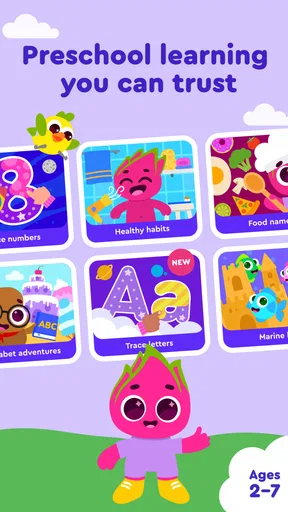
Keiki Learning Games for Kids is an interactive app that combines play with learning for children. It’s packed with a wide range of games and activities designed to help kids learn while having fun. The app covers various educational topics, including math, reading, and even basic science. It's like having a mini classroom that fits right in your pocket.
Keiki Learning is an educational game from Benipol Limited. It’s free to download, rated for Everyone, and has reached more than a million installs, with an average rating of 4.6 from around 64,000 ratings. Those figures suggest that many families have tried it, but they don’t tell you whether its style suits your particular child. The current version is 10.0.1, and in-app purchases range from $3.99 to $69.99 per item, so I’d check the purchase options before handing a device over.
That last step is especially useful with preschoolers. A child may be able to navigate a colorful activity without understanding the difference between continuing a game and making a purchase. I recommend setting up the device’s purchase protections first and agreeing on a clear stopping point. The app is free to start, but it’s sensible to treat any optional spending as a decision for the adult rather than something the child should discover independently.
Features That Stand Out
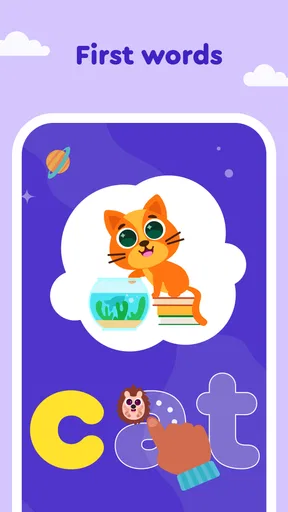
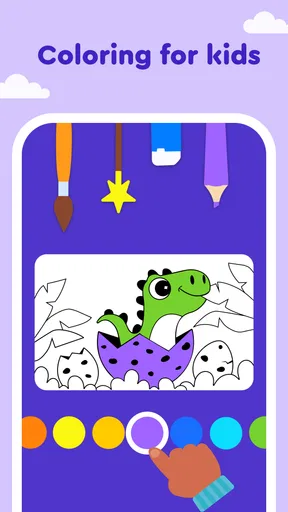
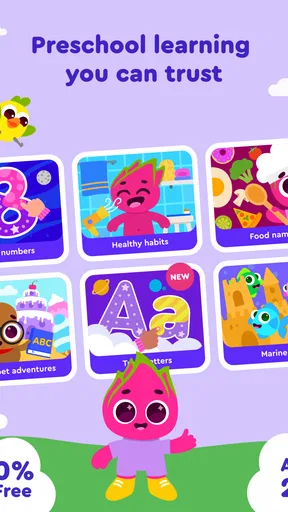
First off, the user interface is super kid-friendly. The bright colors and intuitive design make navigation a breeze for toddlers and preschoolers. The app offers a variety of games that cater to different learning styles. Whether your child is a visual learner or prefers hands-on activities, there’s something here for everyone.
Worth Reading Before You Choose

Flipboard Shows What News Apps Must Do Beyond the Feed

Switching to Android Auto Means Rethinking Your Driving Routine

Google Calendar Makes a Crowded Week Easier to Manage

Ludo King Makes the Most of the Minutes Between Plans

Baby Panda World Brings Quick Play to Modern Phones, but Its Game Library Feels Busy

ESPN’s Live Game View Makes Following Close Games Easier
For a child who is still learning to use a touchscreen, simple navigation can make the difference between enjoying an activity and needing constant adult rescue. I’d still give the child a quick guided introduction rather than assume every young user will manage independently. Watch what they tap, whether instructions make sense to them, and whether they can return to an activity without frustration. That first check helps you decide if the app is a good fit for your child’s age and attention span.
One feature I absolutely loved is the personalized learning path. The app adapts to your child’s learning pace, ensuring that they're always challenged but never overwhelmed. This adaptive learning model is a game-changer, making learning both effective and enjoyable.
A practical way to get more from a learning path is to treat it as a prompt, not a verdict on ability. If a child breezes through an activity, ask them to show you how they solved it; if they get stuck, pause and work through one example together instead of letting the screen become a test. A comfortable pace can support confidence, but children also need room to make mistakes, ask questions, and learn away from the device.
Learning Through Play
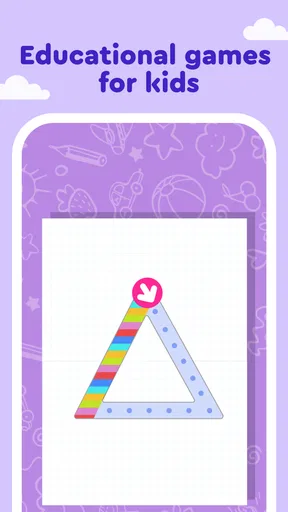
The games are not just educational but also incredibly engaging. From matching shapes to solving puzzles and learning new words, each game is designed to reinforce key skills. The app also includes interactive stories that boost reading skills and comprehension, making it a holistic educational tool.
In everyday use, I’d choose a small moment with a natural end—a quiet stretch before dinner, for instance—rather than opening the app when a child is already tired or upset. After a short session, you can carry the learning into the room: count fruit together, look for a letter on a book cover, or ask the child to retell a story in their own words. This keeps the screen activity connected to real conversation instead of making the app the whole experience.
Compared with a stack of workbooks, Keiki can feel more inviting to a child who resists sitting down for a formal exercise. Compared with a general video, an interactive game gives the child something to respond to rather than simply watch. But a physical puzzle or a book is often the better choice when you want to build fine-motor skills, share attention face to face, or encourage a child to explore without a screen. I see these options as useful in different situations, not competitors with one universal winner.
One trade-off with game-based practice is that getting an answer right inside an activity doesn’t automatically mean a child can use the same skill elsewhere. To check whether something is sticking, follow up with a simple offline question or activity later, without turning it into a quiz. If the child can spot the same idea in a book or a household object, that’s more meaningful than simply spending longer in the app.
Parents may also wonder whether the app is enough on its own to support early learning. I wouldn’t rely on it as a full curriculum. It’s more useful as one optional way to practise alongside everyday talk, play, and whatever a child is learning with family or at school. If your child needs targeted help with a specific skill, guidance from their educator is a better place to start than assuming a general children’s game will address that need.
The listed minimum operating system is 9, so it’s worth checking that the device you plan to use meets that requirement before setting aside time to install it. I’d also try the first session together: that lets you see whether the activities suit your child and gives you a chance to establish simple screen-time boundaries. The app is rated for Everyone, but an age rating does not guarantee that every activity will be a perfect match for every preschooler.
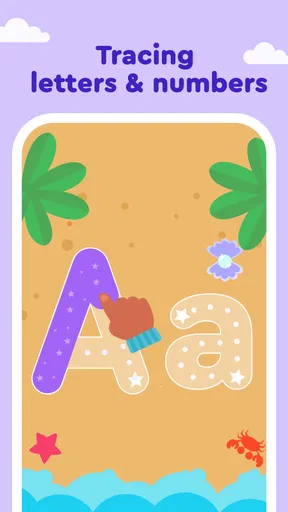
Keiki’s store description points to early math and alphabet learning for young children, which makes it a more natural fit for preschool practice than for older students seeking advanced lessons. The game format may be a welcome change for a child who enjoys colorful, hands-on screen activities. If your child prefers quiet reading, open-ended building, or learning directly with an adult, another approach may hold their interest better.
The release date, Aug 11, 2020, places it among established children’s apps rather than a newly launched experiment. I wouldn’t use age on its own as proof of quality, though. What matters more is how the current version behaves on your device, whether your child understands the activities, and whether the experience fits the routine you want to create.
Why Parents Will Love It
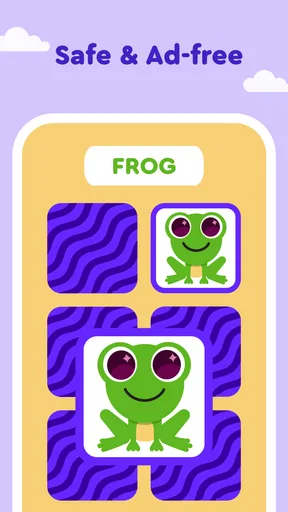
As a parent, finding an app that strikes the right balance between fun and education can be tricky, but this app nails it. You can rest easy knowing your child is not just playing aimlessly but actually acquiring valuable skills. Plus, the app is safe and ad-free, so you don’t have to worry about unwanted interruptions or content.
The parental controls are also worth mentioning. They give you the ability to monitor your child’s progress and set time limits, ensuring that screen time is both productive and controlled.
Before relying on those controls, I’d explore them with the adult account or device in hand and decide what limits make sense for your household. A time limit is most useful when it supports a routine you explain to the child, rather than arriving as a surprise at the end of play. If you prefer to keep screen time entirely offline or avoid in-app purchases, compare the app’s options with your own rules before making it part of a regular routine.
My strongest recommendation is for families who want a playful starting point for early math and letter practice and are happy to stay involved. It may be less suitable for a child who becomes distressed when a game ends, a family looking for a screen-free activity, or anyone expecting a detailed substitute for classroom teaching. In those cases, a book, blocks, drawing, or an adult-led activity may be the more useful choice.
Keiki Learning Games for Kids is more than just an app; it’s a comprehensive learning tool that makes education exciting and accessible. Whether at home or on the go, it’s a fantastic way to keep your child engaged in learning activities. So, if you’re looking for an educational app that's both fun and effective, give this one a shot. Your little ones will thank you for it!
I’d make that recommendation with one condition: use it as a shared resource, not a promise that every minute of screen time will produce a measurable lesson. Start with a brief session, see which activities your child genuinely enjoys, and decide whether the free experience is enough before considering any purchase. For the right preschooler, that balance of playful practice and adult involvement makes Keiki worth trying; for a child who needs a different pace or learns best away from screens, there are better-fitting alternatives.
Pros
- Engaging and colorful graphics.
- Variety of educational games included.
- User-friendly interface for kids.
- Promotes cognitive development.
- Parental controls are available.
Cons
- Some games require in-app purchases.
- Limited offline functionality.
- May need frequent updates.
- Initial setup can be time-consuming.
- Not all content is free.
FAQs for Keiki Learning games for Kids
What age group is Keiki Learning Games for Kids suitable for?
Keiki Learning Games for Kids is designed for children ages 2 to 8. The app provides a wide range of educational games and activities tailored to different developmental stages, ensuring that content is age-appropriate and engaging. Parents can select games that best fit their child's age and learning level.
Is Keiki Learning Games for Kids safe for my child to use?
Yes, Keiki Learning Games for Kids prioritizes safety. The app is free from third-party advertisements and ensures that all content is kid-friendly. Additionally, it includes parental controls, allowing parents to monitor and manage their child’s activity within the app, providing a secure learning environment.
What types of educational content does Keiki Learning Games for Kids offer?
Keiki Learning Games for Kids offers a variety of educational content, including puzzles, math games, language development activities, and interactive stories. The app focuses on key learning areas such as literacy, numeracy, creativity, and critical thinking, providing a holistic educational experience for young children.
Does Keiki Learning Games for Kids require an internet connection to function?
While some features and updates of Keiki Learning Games for Kids may require an internet connection, many games and activities are available offline. This allows children to play and learn even without an active internet connection, making it convenient for travel or areas with limited connectivity.
Are there in-app purchases in Keiki Learning Games for Kids?
Keiki Learning Games for Kids does have in-app purchases. These are primarily for unlocking additional content and features. Parents can choose to make these purchases to expand the app's educational offerings. It's important to set up parental controls to prevent unauthorized purchases by children.


